Since 2019, Telegram has been providing scheduled messaging, and WhatsApp is now getting in on the action. Now a few Android beta testers can send messages in the queue for sending later, and there are already some restrictions to be aware of.
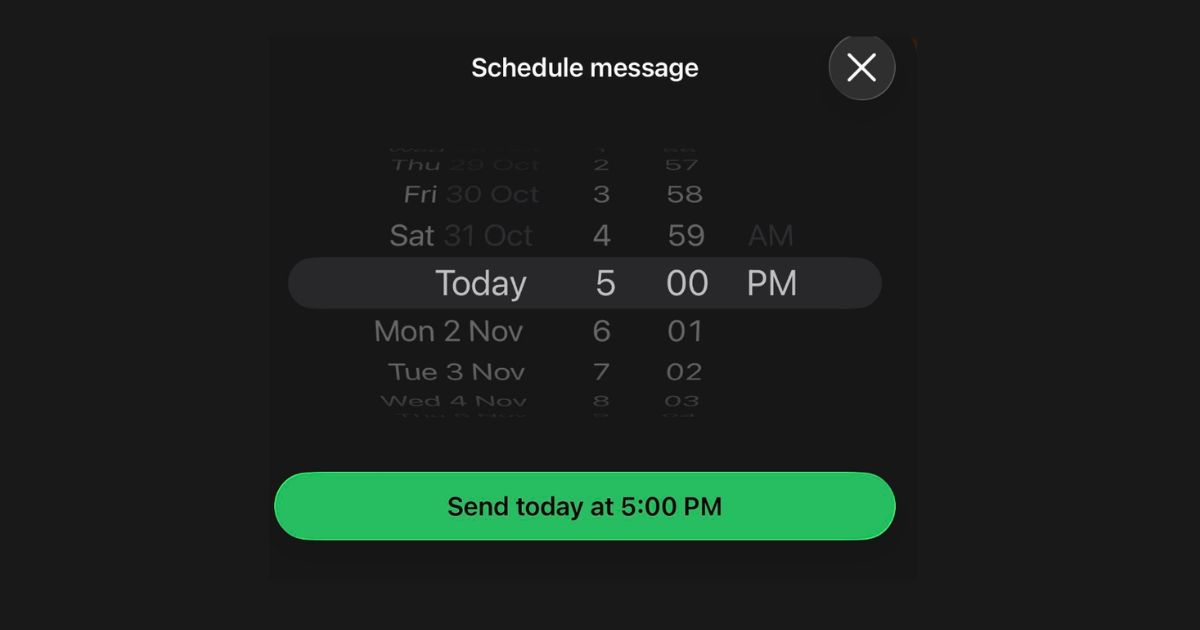
WhatsApp has started rolling out scheduled messages to a limited number of Android beta testers in version 2.26.40.7, according to WABetaInfo. In both individual and group chats, users can place text, links, photos and videos in a queue that can be sent up to 10 minutes or two weeks in advance. Access will be widened to more accounts over the next weeks/month.
The current workaround is a phone reminder to send to mom with any phrase you like, such as “text mom happy birthday”, but it gets lost in the meeting or at the grocery checkout. It’s a far more sensible and efficient way to write it once and schedule it.
How to schedule a message with the send button
You type a message and then tap and hold the send button. A bottom sheet will appear where you choose the delivery date and time, and WhatsApp will keep the message until you choose a date and time.
It does not require my attention when I’m not using the app or my phone is not connected to the internet, as far as I’m concerned: a plan that relies on my attention at 7 a.m. is not much of a plan.
Scheduling window runs from 10 minutes to two weeks
The earliest time that we can schedule is 10 minutes from now, and there’s time to correct a typing mistake or change our minds.
The furthest is two weeks away, which means there’s time to put together a birthday wish ahead of the occasion.
Photos and videos are allowed, but only one per scheduled message
To schedule a photo or video, hold the send button when picking a photo or video from the gallery. The drawing editor is there too, and you can add a caption first, before selecting the time.
The only catch is that each scheduled message will have one item, so for a birthday collage, you’ll need to post the pictures one by one. All data remains end-to-end encrypted.
Users never know that a message has been scheduled
If you have scheduled messages, they are stored separately in the chat info screen, and you can either delete them or preview them before they are sent.
When one deletes it, the other one does not receive any notification and never knows it was deleted. They don’t require the beta to receive it either.
WhatsApp Group Chats Get a Scheduling Twist: Only Existing Members Receive Scheduled Messages
A scheduled group message is only sent to group members at the time of scheduling and won’t be sent to those who join later. That would prevent new members from seeing old information, which makes sense.
It also indicates that a message from the entire family chat will not include the cousin you add tomorrow, so make sure to review the member list first.